Best Embroidery Machine for Monograms: Top Picks for Personalizing Projects
Answering the need for precise monogramming, these embroidery machines deliver clean letterforms and consistent stitches for personalizing apparel, towels, napkins, and gifts. The picks below are suitable for crafters at different levels—from beginners to hobbyists who want reliable monogramming on a range of fabrics. Each option emphasizes built-in fonts, hoop sizes, and connectivity to transfer designs.
Summary of selected models
| Product | Best For |
|---|---|
| Brother SE700 Sewing and Embroidery Machine | All-in-one starter, wireless transfer, and solid monogram fonts |
| Brother SE700 Combo Embroidery & Sewing Machine | Bundle with extra hoops and accessories for expanded monograms |
| Brother PE545 Embroidery Machine | Wireless transfer and compact 4×4 embroidery field |
| Brother Skitch Single-Needle Embroidery Machine | Beginner-friendly entry with Artspira app |
| PooLin EOC06 Embroidery Machine | Large 11×7.9″ embroidery area and flexible file transfer |
Brother SE700 Sewing and Embroidery Machine

The Brother SE700 blends sewing and embroidery with wireless capabilities. It includes a 4″ x 4″ embroidery hoop area, a 3.7″ touchscreen, and 135 built-in designs with 103 stitches. Best for hobbyists who want instant design transfer from a PC or mobile device and a straightforward monogramming workflow.
Why selected: It excels at monogram projects thanks to easy file transfer via USB or Design Database Transfer, plus Artspira mobile app support for creating or sourcing monogram letters. A potential limitation: the 4″ x 4″ hoop supports smaller monograms, which may require multiple hooping for larger initials.
Brother SE700 Combo Embroidery & Sewing Machine

This combo model includes 4″ x 4″ embroidery hoops and a broad accessory bundle, including several feet and a dedicated embroidery frame set. It’s ideal for makers who want more tools for monogramming on a variety of garments and home décor items.
Why selected: The bundle expands creative options and reduces setup time for monogram sequences. Better for: users who frequently switch between embroidery and sewing tasks. Caution: the wealth of accessories can be overwhelming for absolute beginners; plan a learning curve around hoop changes and foot selection.
Brother PE545 Embroidery Machine
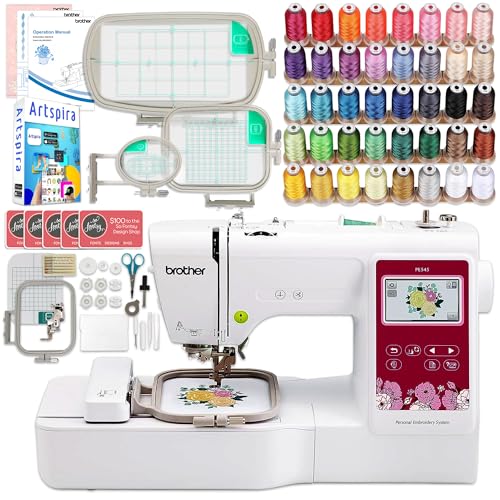
The PE545 offers wireless file transfer, a 4″ x 4″ embroidery field, and a large 3.7″ LCD touchscreen. It’s a compact option for dedicated monogram projects and easy pattern loading from a PC or mobile app.
Why selected: It provides dependable monogramming capability in a space-saving unit with reliable connectivity. Limitation: the 4″ x 4″ hoop still constrains monogram size, which may require multiple passes for larger initials.
Brother Skitch Single-Needle Embroidery Machine

The Skitch is a beginner-friendly, single-needle option powered by the Artspira app. It supports monogramming up to 4″ x 4″ and emphasizes easy design transfer via Bluetooth connectivity.
Why selected: It’s a low-barrier entry into embroidery with a guided workflow via Artspira. Choose this if you prefer a simple, app-driven approach and don’t need multi-needle versatility. Limitation: single-needle operation can slow complex multi-color monograms compared with multi-needle machines.
PooLin EOC06 Embroidery Machine

The EOC06 model provides an 11×7.9″ embroidery area and USB plus wireless transfer, supporting large monogram designs and more ambitious projects. It comes with multiple hoop sizes and a large design library.
Why selected: Best for larger monograms and more complex letter layouts on apparel, quilts, or home décor. Caution: the user experience can vary with firmware updates and design transfer speed; ensure the software ecosystem fits your workflow.
Buying Guide: Choosing the Right Monogramming Machine
- Hoop size matters: For monograms, a 4″ x 4″ field is common, but larger 7″ or 11″ hoops enable bigger initials or multi-letter monograms without frequent re-hooping.
- Connectivity: Look for wireless transfers via app ecosystems or USB, especially if you plan to import fonts or custom initials.
- Needle options: Multi-needle machines speed up color changes in monograms; single-needle units are simpler and cheaper but slower for multi-color designs.
- Design libraries: Built-in fonts and monogram formats vary. Consider whether you need multiple font styles, letter spacing control, or monogram arrangements (e.g., initials in a circle or interlocking pattern).
- Accessory bundles: Some bundles include multiple feet and hoops, which can save time when monogramming a range of fabrics.
- Ease of use: Apps like Artspira can simplify pattern creation and transfer, especially for beginners. Assess the learning curve and in-device navigation.
- Space and maintenance: Compact machines work well for home spaces, but larger embroidery areas require more desk or table space. Factor cleaning kits and bobbin availability into ongoing costs.
FAQ: Monogramming With Embroidery Machines
- What hoop size is best for monograms?
A 4″ x 4″ hoop covers many standard initials; larger hoops are better for full name monograms or multi-letter layouts. - Do I need a multi-needle machine for monograms?
Not strictly, but multi-needle machines speed up color changes and streamline complex designs. - Can I import my own fonts for monograms?
Many models support font packs or apps that let you design and transfer fonts; check USB or wireless transfer options. - Is a wireless connection essential?
Not essential, but it simplifies transferring custom patterns from a computer or phone, especially for repeated monograms. - Are beginner-friendly machines suitable for future growth?
Yes; they offer a gentle learning curve while providing essential features like built-in fonts and basic customization options. - What maintenance should I expect?
Regular bobbin changes, needle replacements, and hoop cleaning keep monograms crisp; follow the manufacturer’s maintenance schedule.