Best Home Office Copy Machines for 2026: Affordable All‑In‑One Printers and Scanners
Answering the buyer’s need for a reliable home office copy machine, this guide highlights five versatile all‑in‑one printers ideal for hybrid work, small teams, or solo professionals. Each model balances print quality, copy and scan features, and ease of use. The candidates below are selected for different routines—basic document printing, duplex capability, or ink efficiency—so you can pick the best fit for your workflow and space.
Summary table of selected products:
| Product | Best For | Key Strength | Notes |
|---|---|---|---|
| Canon PIXMA TS4320 | Budget-conscious home users | Compact, easy setup | Affordable all‑in‑one with copier/scan |
| Canon PIXMA TS6520 | Small home offices needing OLED display | Intuitive controls, duplex option | Duplex printing for documents |
| HP OfficeJet Pro 8125e | Color documents and professional output | AI‑enhanced printing | Fast color print; advanced features |
| HP Smart Tank 5000 | High-volume ink savings | Cartridge‑free with long ink life | Two years of ink included |
| HP OfficeJet Pro 8139 | Home offices needing fax/auto‑document feeder | All‑in‑one versatility | Instant Ink option and AI features |
Canon PIXMA TS4320 Wireless Color Inkjet Printer
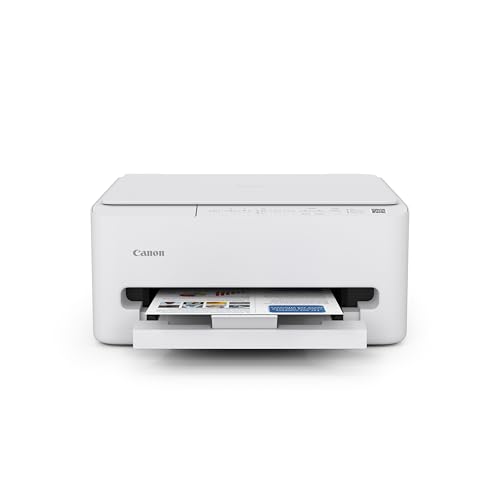
Best for budget-minded buyers who need a compact, all‑in‑one home printer with copier and scanner. The model uses a 2‑cartridge hybrid ink system to deliver crisp text and vibrant images, making it suitable for documents and photos. Setup is quick for smartphones or computers, and the device fits small desks or multimedia spaces. The main limitation is color and photo versatility compared to higher‑end photo printers, so avoid this if you require professional photo labs or large‑format prints.
Canon PIXMA TS6520 Wireless Color Inkjet Printer

Best for small offices needing a balanced all‑in‑one with a 1.42” OLED display and intuitive control panel. It shares Canon’s reliable color output with a compact chassis, and duplex printing helps save paper on dense document workflows. Choose this if you value straightforward operation and clearer status indicators in tight spaces. A caveat: with multiple users, ink costs can rise if volume is high and photos aren’t regularly printed.
HP OfficeJet Pro 8125e Wireless All‑in‑One
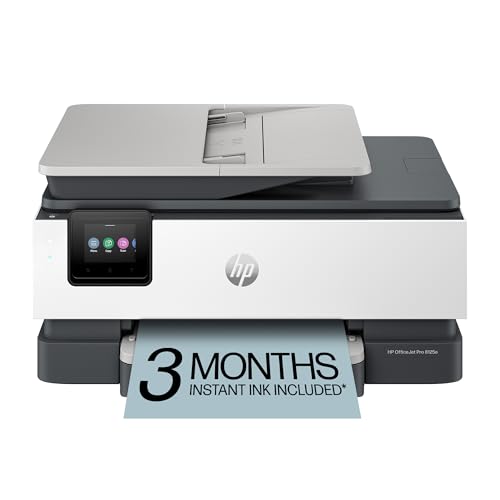
Best for home offices that print professional color documents and require AI‑assisted formatting. It supports fast color printing, scanning, copying, and an auto duplex plus a 225‑sheet input tray. The expanded feature set makes it a strong choice for mixed workloads. The 3‑month Instant Ink trial is convenient, but ongoing ink costs should be considered for high‑volume use. Avoid this if you primarily print black‑and‑white internal memos and want the lowest operating cost.
HP Smart Tank 5000 Wireless All‑in‑One
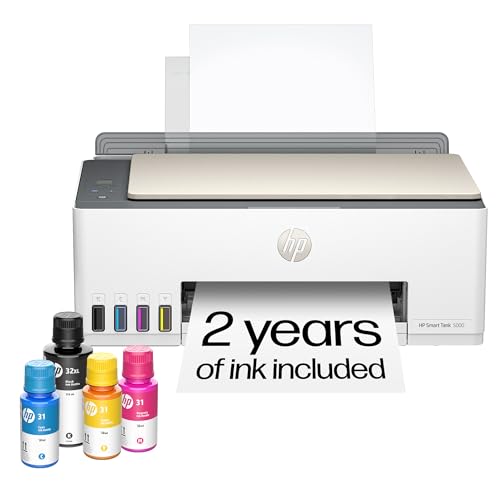
Best for households needing long‑lasting ink and minimal replacement hassle. The cartridge‑free design includes up to two years of ink and focuses on reliable everyday printing, with strong text and color quality. The main limitation is initial setup for non‑tech users may require extra time, and refill routines require attention to avoid spills. Choose this if ink cost and maintenance time are top concerns.
HP OfficeJet Pro 8139 Wireless All‑In‑One

Best for home offices that need fax capability along with color printing, scanning, and copying. It offers a robust feature set including auto 2‑sided printing and a 225‑sheet input tray. The AI‑enabled features and Instant Ink trial help optimize workflow, but users with minimal multi‑function needs can opt for simpler models to reduce upfront costs. Avoid this if you don’t need fax or AI features.
Buying Guide
What should you consider when choosing a home office copy machine?
- Print volume and costs: Look at ink or toner yield and cartridge costs. Ink‑tank models can offer lower operating costs for high‑volume printing, while compact inkjet all‑ins are usually cheaper upfront.
- Duplex printing: If you routinely print two‑sided documents, choose a model with automatic duplex to save paper and time.
- Paper handling: check tray capacity and any additional feeders. Higher page counts help in multi‑page reports and presentations.
- Connectivity: favor devices with wireless printing and cloud apps for easy job sending from laptops, tablets, or phones.
- Scanning and copying features: A good ADF (automatic document feeder) and document scanning quality help in digitizing stacks of pages efficiently.
- Display and ease of use: A clear control panel or OLED display improves setup and daily use, especially for shared home offices.
- Warranties and support: A basic warranty and accessible customer support help reduce downtime for home office users.
How to compare models quickly?
- Best for budget users: Canon PIXMA TS4320, compact and easy to set up for simple home tasks.
- Best for small offices needing color depth: Canon PIXMA TS6520 offers a modern display and duplex options.
- Best for busy color printing: HP OfficeJet Pro 8125e provides AI capabilities and faster color throughput.
- Best for ink savings: HP Smart Tank 5000 delivers long ink life and reduced refill frequency.
- Best for all‑in‑one versatility with fax: HP OfficeJet Pro 8139 covers fax, AI features, and Instant Ink.
Quick buyer tips
- Choose ink‑tank or cartridge‑free options if your printing is heavy and budget is a concern.
- Consider space constraints; smaller footprints fit tight home offices, while larger formats suit shared spaces.
- Assign a primary workflow: document work, photo printing, or mixed media, to prioritize features like color accuracy or scanning speed.
FAQ
- What is the best all‑in‑one for duplex printing in a home office? Look for models with automatic two‑sided printing to save time and paper.
- Do ink‑tank printers really save money? Yes, ink‑tank systems typically deliver lower cost per page for high printing volumes compared with cartridge systems.
- Is a color printer necessary for home offices? If you regularly print charts, presentations, or marketing materials, color output improves clarity and impact.
- Should I buy a printer with fax? Fax is optional for many home offices; consider if you still frequently receive or send faxes.
- What if I need mobile printing? Ensure the model supports wireless printing and has companion apps for iOS and Android.
- How important is warranty? A solid warranty reduces downtime and replacement hassles for home office setups.